
Invoice on-site.
Get paid before
the truck leaves.
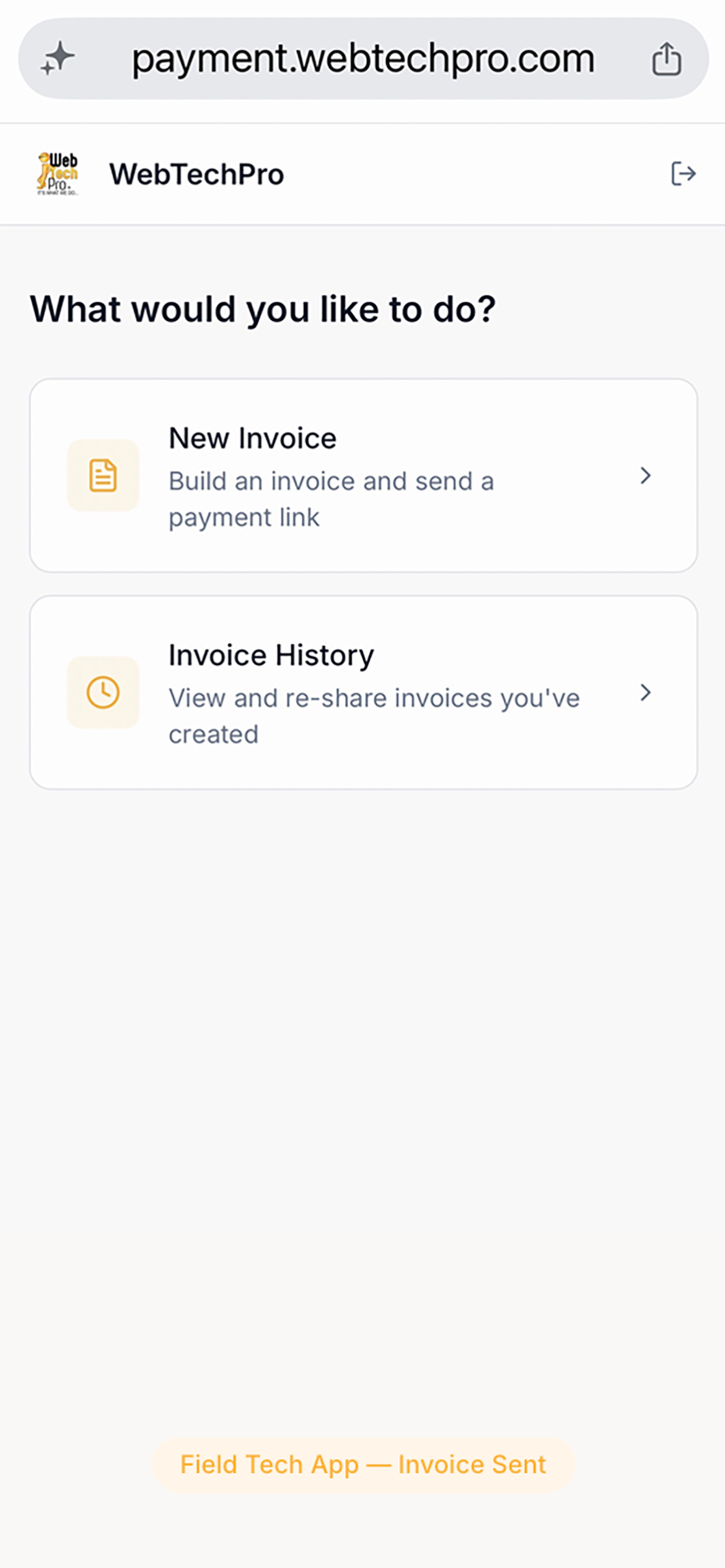
Win!'s Field Tech App turns any smartphone into an invoice terminal. Your technician picks the client and line items, creates the invoice in one tap, and sends a payment link by SMS — the customer pays while the tech is still there. Invoice lands in your invoicing platform instantly. No app download. No training. No waiting 30 days.
30-day free trial · No credit card required · Works on any phone
The average field service business waits 35–45 days to get paid
Your tech completes the job, drives away, and then the invoice sits. Someone has to generate it back at the office, send it, wait for the customer to open it, and hope they pay before the reminder goes out. For a business doing $100K/month in field work, that's $35,000–$45,000 permanently tied up in AR. Win! closes that gap to same-day.
How the Field Tech App works
Four steps. The whole job from invoice to paid in under three minutes. Works on iOS and Android — no app store, no download.
Tech logs in with their PIN
Each technician has their own unique invite code and 4-digit PIN. They open a browser on any smartphone — iPhone, Android, it doesn't matter — and log in instantly. No account creation. No app to download. No IT ticket.
Picks the client and line items
Your full product and service catalogue from Xero, QuickBooks Online or GoHighLevel is already there. The tech selects the customer, picks line items, adjusts quantities and prices, and adds a job note. Everything your office set up — available on the truck.
Invoice created in your books instantly
One tap pushes the invoice to your invoicing platform as an authorised invoice. It appears in your Win! dashboard and in your accounting software simultaneously — before the tech has even walked back to the van.
Customer pays on the spot via SMS link
The tech taps Share and sends the payment link directly by SMS to the customer's phone. The customer pays by card, ACH, Apple Pay, or Google Pay. Payment reconciles to the invoice in your invoicing platform within seconds. The job is done and paid.
Built for real field work
Designed around what actually happens on a job site — not a demo environment.
No app to download
Runs entirely in the mobile browser. Techs bookmark it. Zero installation, zero app store friction, zero update maintenance.
Each tech has their own PIN
Individual logins mean you can see which tech created which invoice, add or remove access instantly, and maintain a complete audit trail.
Live catalogue from your books
Line items, prices, and descriptions are pulled directly from your invoicing platform's product list — always current, no double-entry.
Payment link sent by SMS
The tech sends the link from their own phone in one tap. Customers get a branded, mobile-optimised payment page — Apple Pay, Google Pay, card, or ACH.
Books update in real time
No batch sync. The moment a customer pays, the invoice is marked paid in your invoicing platform and a receipt is emailed automatically.
Same rates as all Win! payments
Field invoices settle directly to your Stripe account at the same rates as every other payment. No extra per-invoice fee for field jobs.
What the office sees
Every field invoice appears in your Win! dashboard alongside your regular invoices. Nothing is lost. Everything is attributed.
All field invoices in the merchant dashboard
Clearly labelled with the technician's name and the job note they added on-site.
Payment status in real time
You can see which field invoices are paid, pending, or overdue — before the tech is back at the depot.
Automatic reconciliation to your invoicing platform
Field invoices reconcile the same way office invoices do. Nothing to import manually.
Tech attribution on every invoice
Every invoice records which tech created it. Useful for commissions, audits, and tracking performance by territory.
Works for any trade that sends invoices on-site
If your technicians are on-site and your billing goes through Xero, QuickBooks Online or GoHighLevel, the Field Tech App works for you.
Share with your team or other owners
Send this page by SMS, WhatsApp, or copy the link — it's optimised to preview beautifully on every device.
Field Tech App — common questions
Do technicians need to download an app?+
No. The Field Tech App runs entirely in the mobile browser on any smartphone — iOS or Android. Techs bookmark the URL and open it like any website. There's nothing to install, no App Store or Play Store required, and no updates to manage.
Can each technician have their own login?+
Yes. Each technician is set up with their own invite and a 4-digit PIN. Logins are individual, so every invoice is attributed to the tech who created it. You can add or remove tech access from your Win! dashboard at any time.
What payment methods can customers use on-site?+
Customers can pay by Visa, Mastercard, Amex, Apple Pay, Google Pay, or ACH bank transfer. The payment page is mobile-optimised — most customers pay by Apple Pay or card in under 30 seconds.
Does the invoice go into Xero, QuickBooks, or GoHighLevel automatically?+
Yes. The moment the tech creates the invoice in the Field Tech App, it's pushed to your connected invoicing platform as an authorised invoice. When the customer pays, it's marked paid and reconciled in real time. No manual import.
What if the customer doesn't pay on-site?+
The payment link stays active. Win!'s automated reminders will follow up by email — just like any other outstanding invoice. You can also see and manage unpaid field invoices from your merchant dashboard.
Can techs add notes or photos to an invoice?+
Techs can add a job note to the invoice at the time of creation. The note is stored on the invoice in Win! and synced to the invoice description in your invoicing platform.
Is there an extra cost for field invoices?+
No. Field invoices use your standard Win! plan and Stripe processing rates. There's no per-invoice field fee or additional tier required.
Stop waiting 30 days for field jobs that should have been paid on-site.
Connect Xero, QuickBooks Online or GoHighLevel, set up your techs, and collect your first on-site payment within the hour. 30-day free trial — no credit card required.
Also see: Invoice AutoPay · Field Service payment guide
Legal disclaimer: This page is provided for informational purposes only and does not constitute legal advice. Payment processing fees and settlement times vary by processor and are subject to change. Apple Pay and Google Pay are trademarks of their respective owners. Consult your payment processor or legal counsel for guidance specific to your business.